UI / UX Design
Empty States redesign
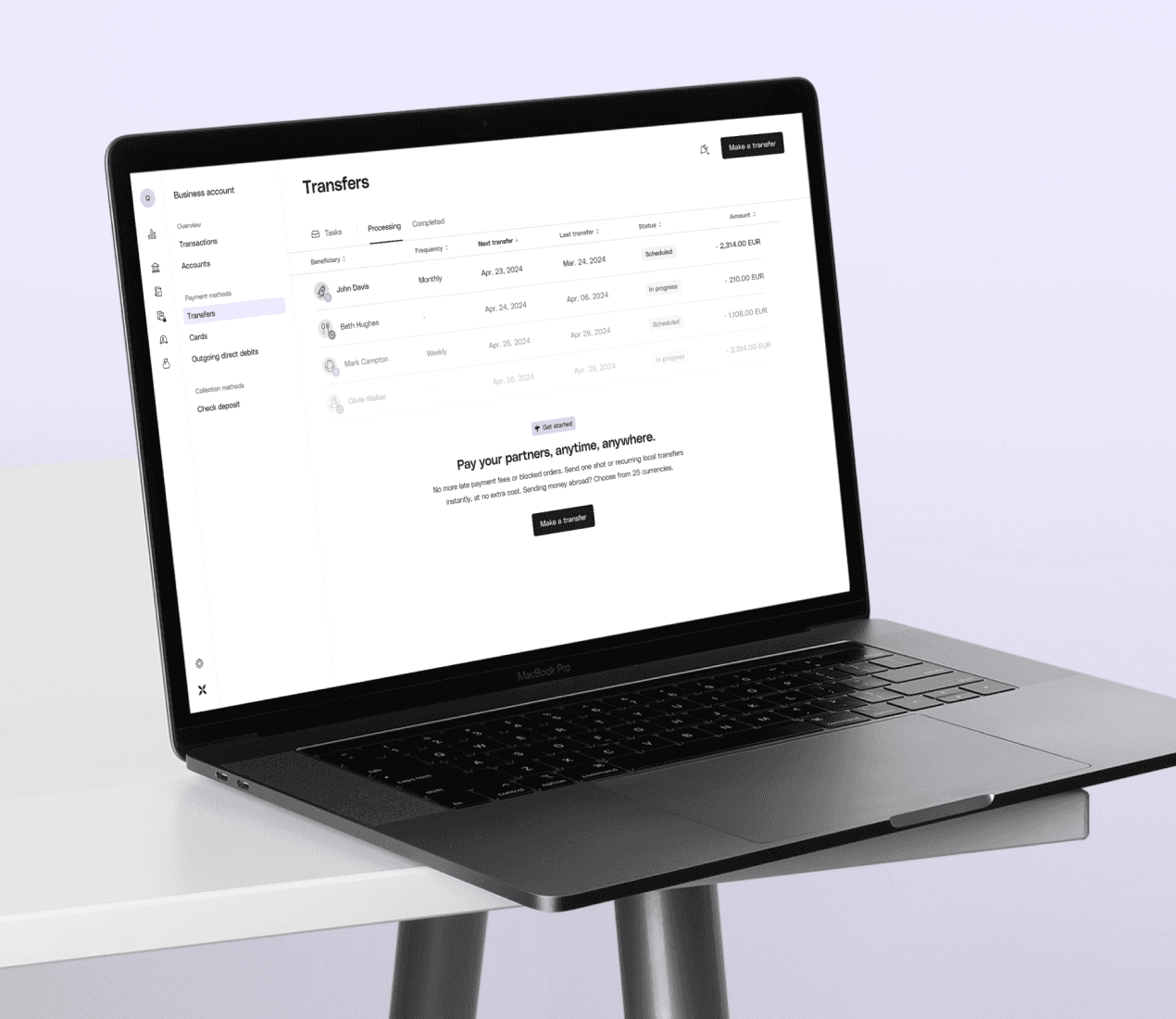
Strategic design system piece, resulting in a significant, nearly 10% increase in feature activations.
Year :
2025
Industry :
FinTech
Client :
Qonto
Project Duration :
4 weeks
Problem :
Often underestimated and overlooked, because by definition, there is nothing to show. But hold on, isn’t there?
At Qonto, we gathered a cross functional team and challenged the way we approach our empty states, giving this project an ambitious goal: improve feature activations and upsells across the entire platform, which are our core product metrics.
After speaking to users about the first pages they see before taking actions, we discovered 3 main pain points:
The deception
Our features are not boring, but they are - to new users. There is no wow effect. There is no conversation with the user. We describe the features, but we don’t tell users what is in it for them.
The confusion
Upgrade actions aren’t clear. There are confusing CTAs. There is no guidance. We’re not helping them upgrade.
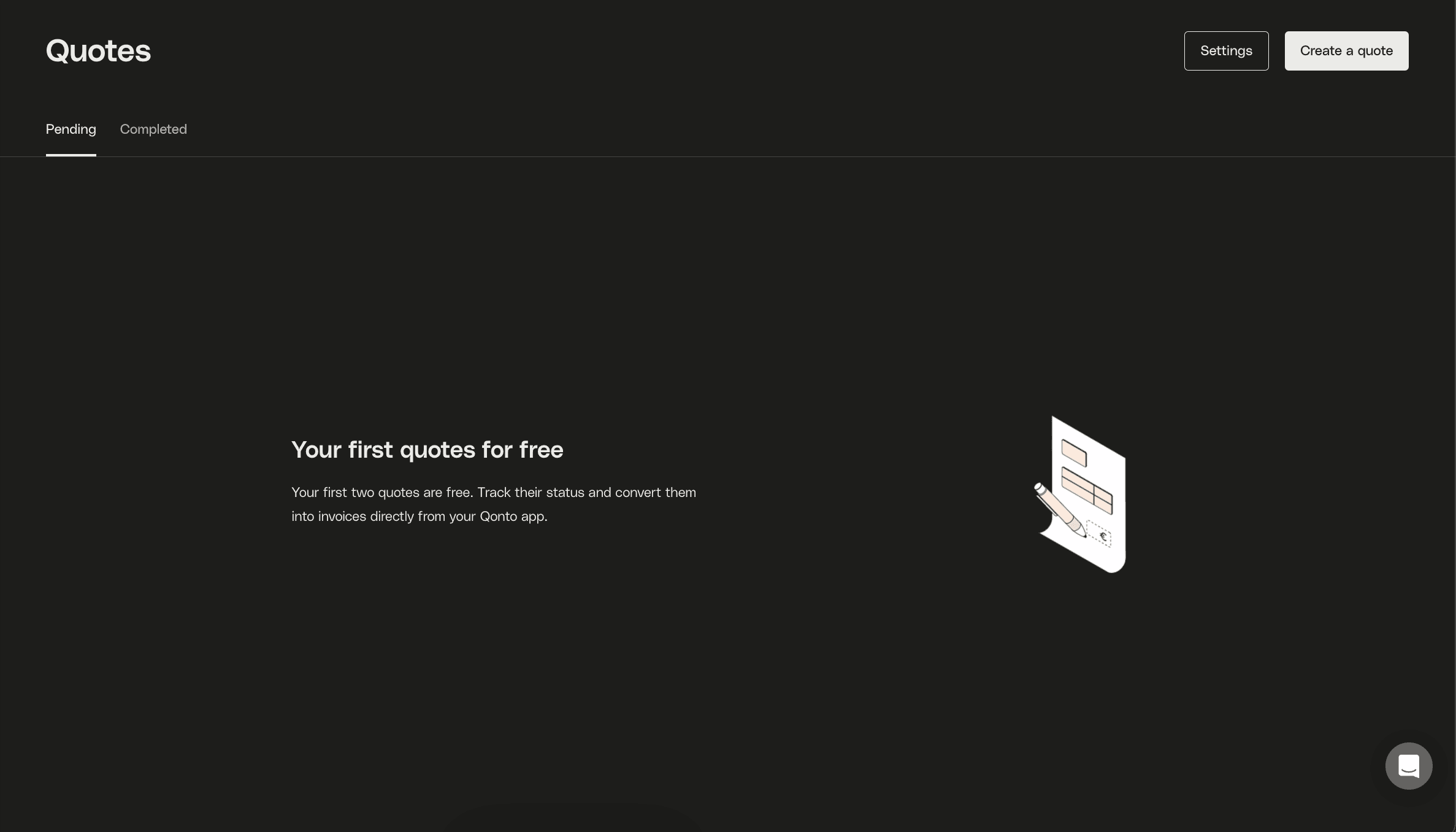
The missed opportunity.
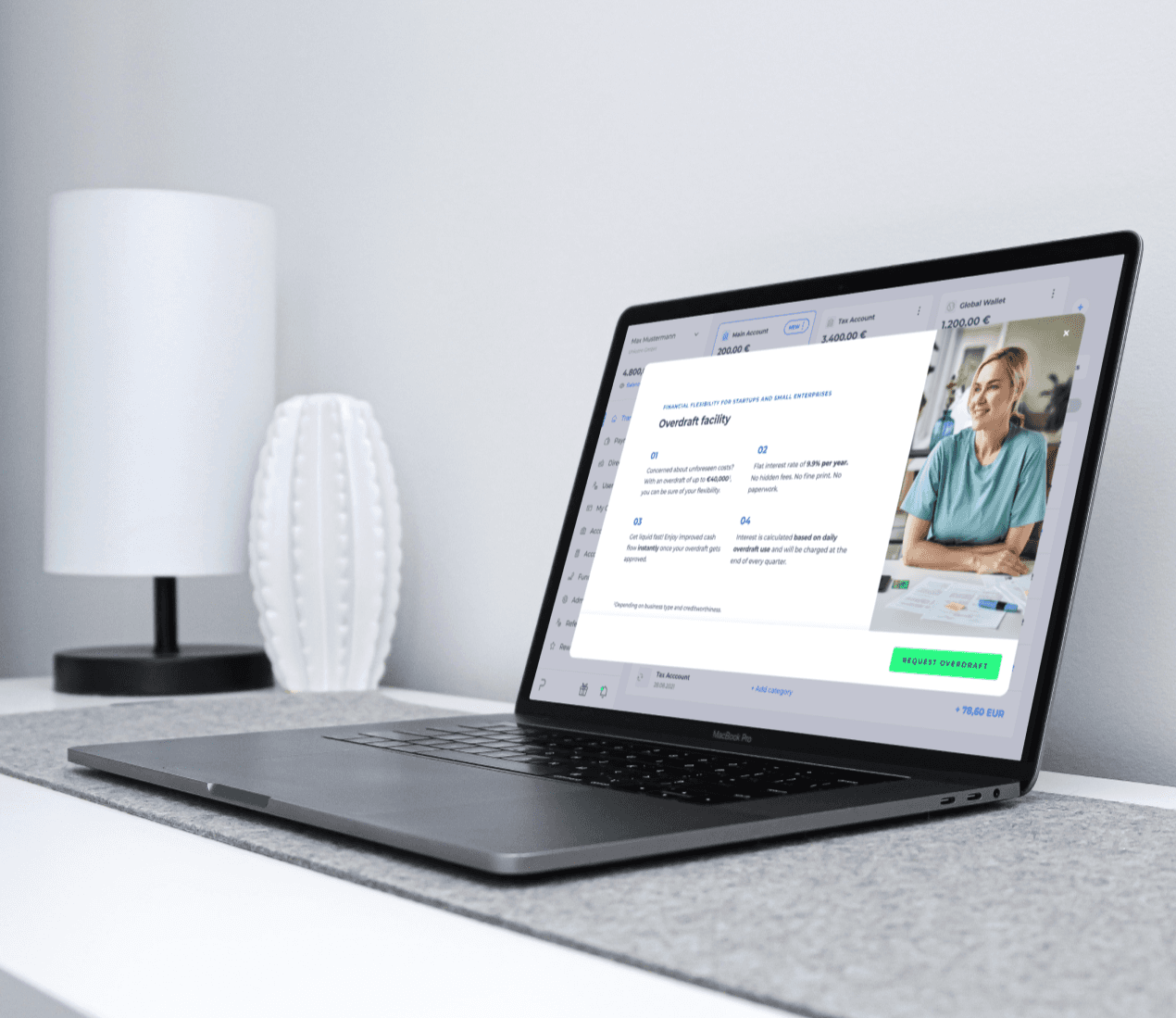
Trials are meant to be exciting. In our case, they are almost no different than standard empty states. Look below. Is it clear that this is a premium feature with free access to it?
Solution :
Categories
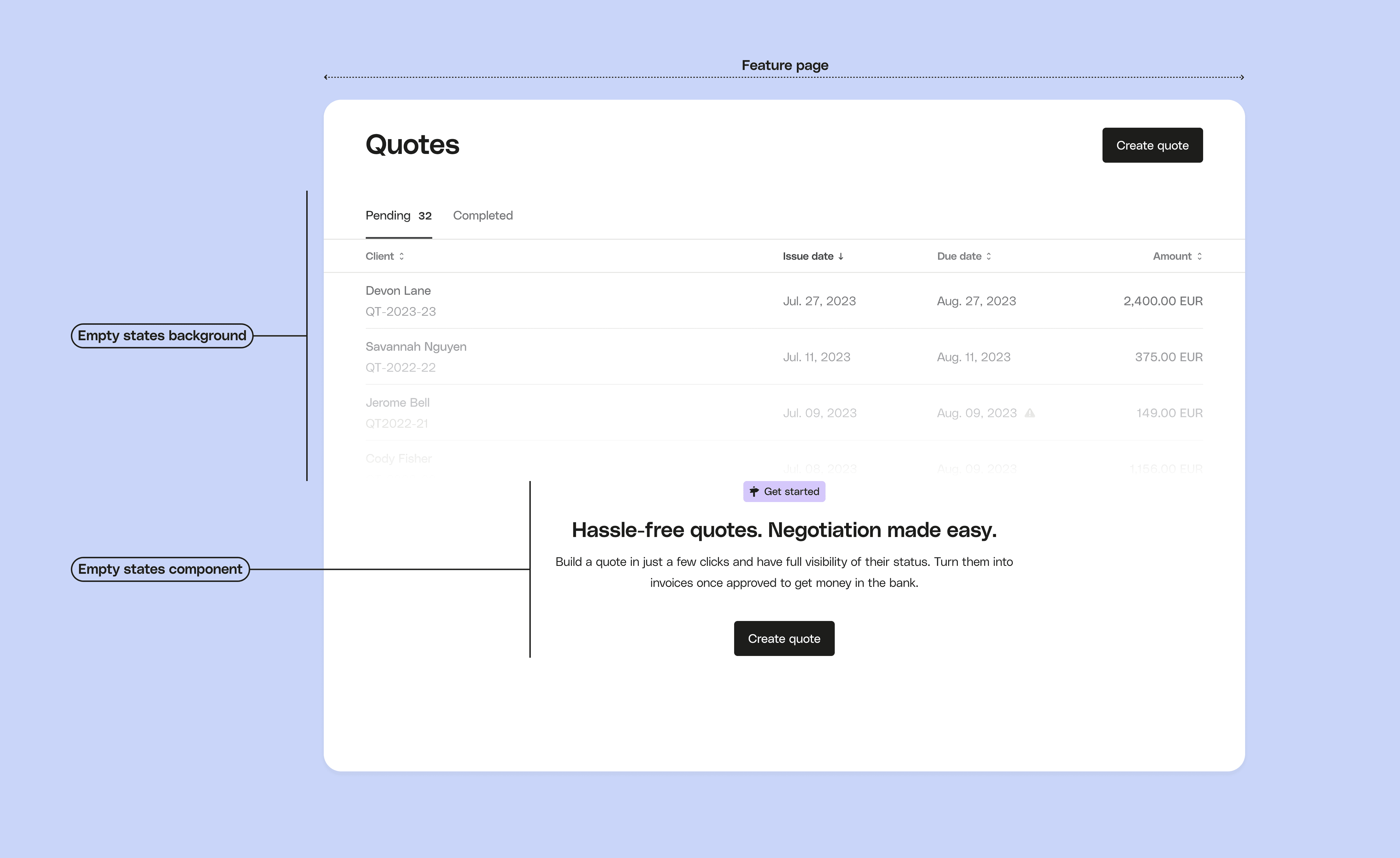
We decided to group empty states into 4 categories, within each there are different subcategories to represent specific use cases.
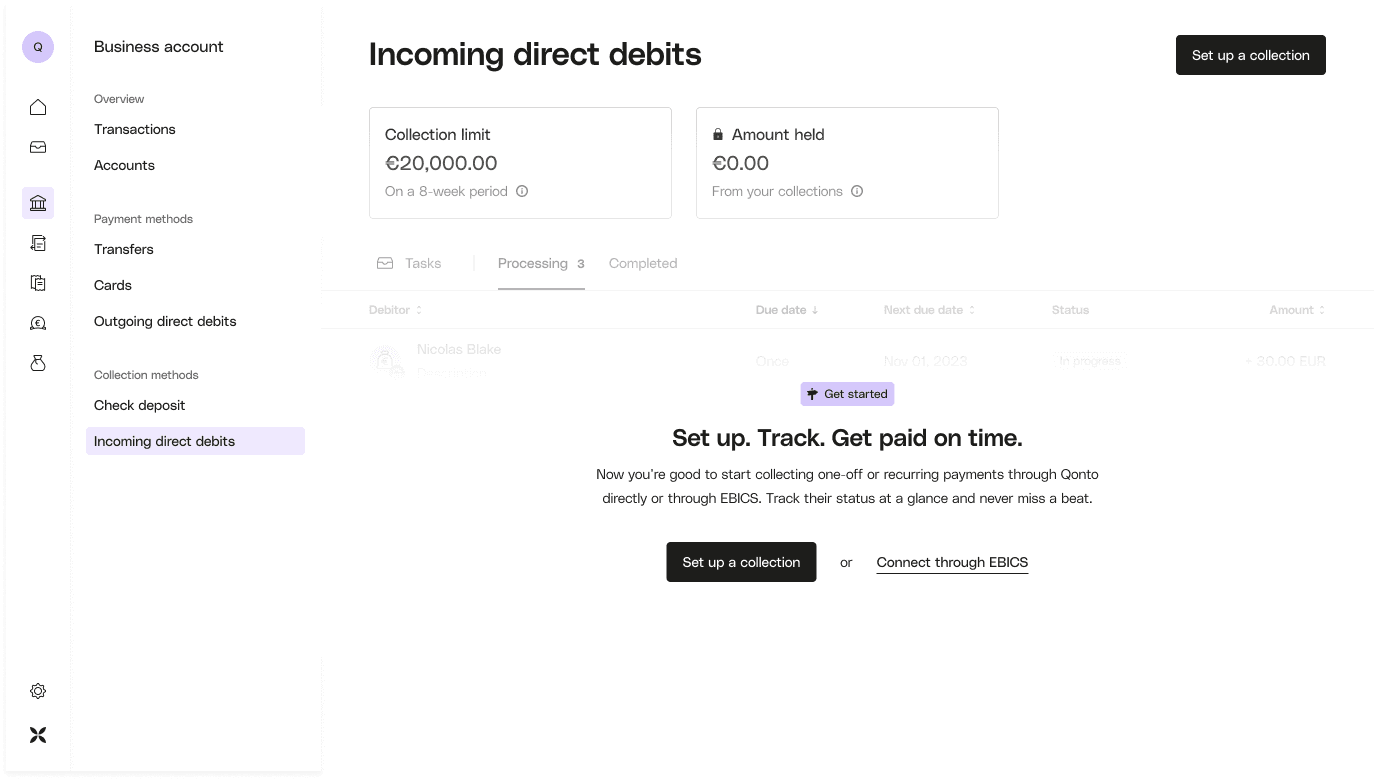
Activate: The primary intention behind this empty state is to prompt and encourage users to initiate their use of the feature. It serves as a starting point to engage users and drive feature adoption.
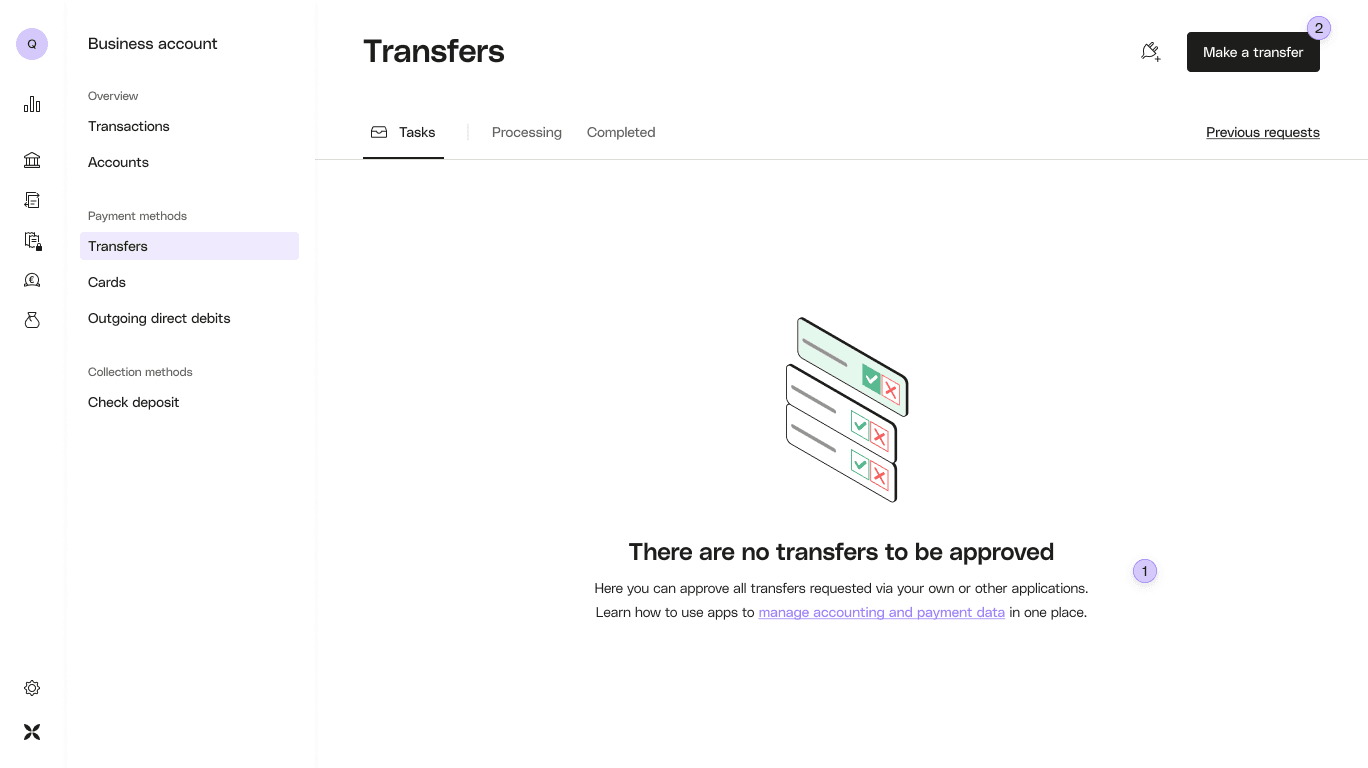
Upsell: The intent behind this type of empty state is to drive upgrade through a specific feature and into a more advanced pricing plan that allow this feature usage.
Try: Intended to provide users with the opportunity to explore and experiment with a feature before committing to an upgrade of a higher plan.
Inform: Purely informational in nature, without a specific call to action. Their primary purpose is to convey essential information to users, enhancing their understanding of the product or its features.
Guiding principles
Context-driven
Prioritise customizing empty states to a user’s role, permissions and price plan so that users identify easily with the context. On the contrary, we choose not to customize based on market variations to keep our system easier to maintain.
Focus
Prioritise delivering immediate context by using a centered, vertical structure. This guides users to take meaningful actions for their situation, such as activation, trial or upsell.
Bond with our customers
Communicate in a human and empathetic manner by applying the 3 principles of our tone of voice (Snappy, Bold and Hands-on) in different measures depending on the empty state goal.
Delivery :
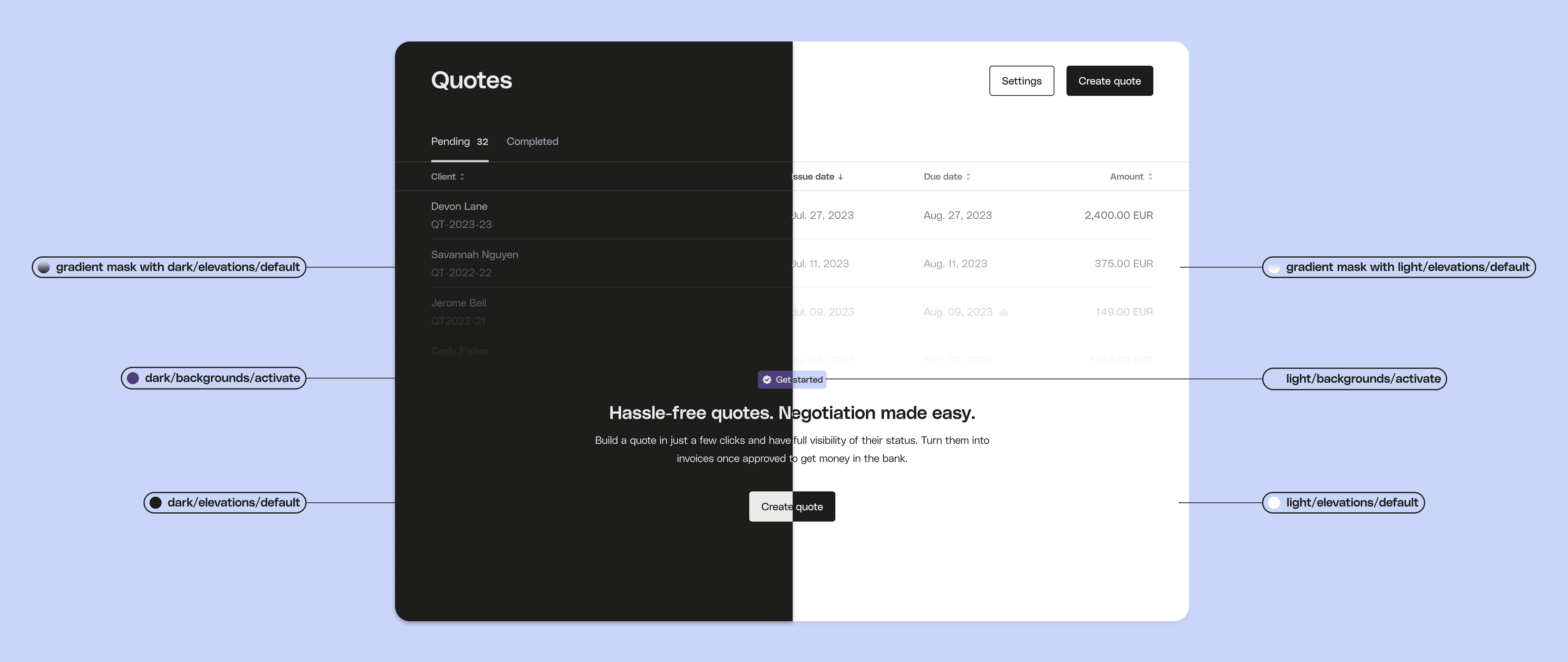
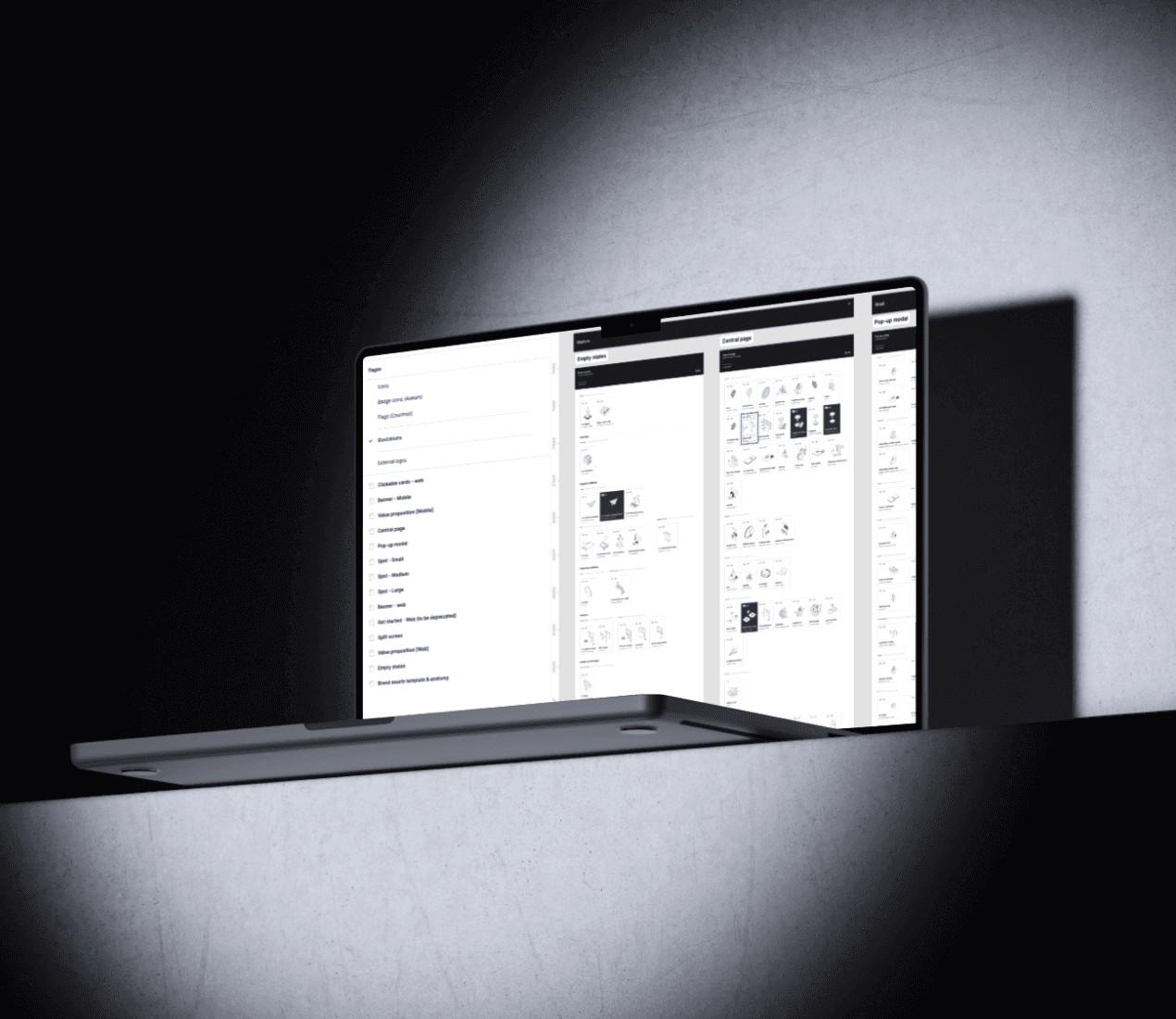
I decided to go for a component-driven approach, allowing to quickly produce a large amount of variations (200+ screens)
clear, structured file organisation with headers and sections allowing for easy navigation
Ensuring all components used are responsive and respect our breakpoints
Success analysis :
Significant increase in features activation, hitting nearly 10% between test and control group, in an analysis run over a time period of 1 month after release.
More Projects

UI / UX Design
Empty States redesign
Strategic design system piece, resulting in a significant, nearly 10% increase in feature activations.
Year :
2025
Industry :
FinTech
Client :
Qonto
Project Duration :
4 weeks
Problem :
Often underestimated and overlooked, because by definition, there is nothing to show. But hold on, isn’t there?
At Qonto, we gathered a cross functional team and challenged the way we approach our empty states, giving this project an ambitious goal: improve feature activations and upsells across the entire platform, which are our core product metrics.
After speaking to users about the first pages they see before taking actions, we discovered 3 main pain points:
The deception
Our features are not boring, but they are - to new users. There is no wow effect. There is no conversation with the user. We describe the features, but we don’t tell users what is in it for them.
The confusion
Upgrade actions aren’t clear. There are confusing CTAs. There is no guidance. We’re not helping them upgrade.
The missed opportunity.
Trials are meant to be exciting. In our case, they are almost no different than standard empty states. Look below. Is it clear that this is a premium feature with free access to it?
Solution :
Categories
We decided to group empty states into 4 categories, within each there are different subcategories to represent specific use cases.
Activate: The primary intention behind this empty state is to prompt and encourage users to initiate their use of the feature. It serves as a starting point to engage users and drive feature adoption.
Upsell: The intent behind this type of empty state is to drive upgrade through a specific feature and into a more advanced pricing plan that allow this feature usage.
Try: Intended to provide users with the opportunity to explore and experiment with a feature before committing to an upgrade of a higher plan.
Inform: Purely informational in nature, without a specific call to action. Their primary purpose is to convey essential information to users, enhancing their understanding of the product or its features.
Guiding principles
Context-driven
Prioritise customizing empty states to a user’s role, permissions and price plan so that users identify easily with the context. On the contrary, we choose not to customize based on market variations to keep our system easier to maintain.
Focus
Prioritise delivering immediate context by using a centered, vertical structure. This guides users to take meaningful actions for their situation, such as activation, trial or upsell.
Bond with our customers
Communicate in a human and empathetic manner by applying the 3 principles of our tone of voice (Snappy, Bold and Hands-on) in different measures depending on the empty state goal.
Delivery :
I decided to go for a component-driven approach, allowing to quickly produce a large amount of variations (200+ screens)
clear, structured file organisation with headers and sections allowing for easy navigation
Ensuring all components used are responsive and respect our breakpoints
Success analysis :
Significant increase in features activation, hitting nearly 10% between test and control group, in an analysis run over a time period of 1 month after release.
More Projects
UI / UX Design
Empty States redesign
Strategic design system piece, resulting in a significant, nearly 10% increase in feature activations.
Year :
2025
Industry :
FinTech
Client :
Qonto
Project Duration :
4 weeks
Problem :
Often underestimated and overlooked, because by definition, there is nothing to show. But hold on, isn’t there?
At Qonto, we gathered a cross functional team and challenged the way we approach our empty states, giving this project an ambitious goal: improve feature activations and upsells across the entire platform, which are our core product metrics.
After speaking to users about the first pages they see before taking actions, we discovered 3 main pain points:
The deception
Our features are not boring, but they are - to new users. There is no wow effect. There is no conversation with the user. We describe the features, but we don’t tell users what is in it for them.
The confusion
Upgrade actions aren’t clear. There are confusing CTAs. There is no guidance. We’re not helping them upgrade.
The missed opportunity.
Trials are meant to be exciting. In our case, they are almost no different than standard empty states. Look below. Is it clear that this is a premium feature with free access to it?
Solution :
Categories
We decided to group empty states into 4 categories, within each there are different subcategories to represent specific use cases.
Activate: The primary intention behind this empty state is to prompt and encourage users to initiate their use of the feature. It serves as a starting point to engage users and drive feature adoption.
Upsell: The intent behind this type of empty state is to drive upgrade through a specific feature and into a more advanced pricing plan that allow this feature usage.
Try: Intended to provide users with the opportunity to explore and experiment with a feature before committing to an upgrade of a higher plan.
Inform: Purely informational in nature, without a specific call to action. Their primary purpose is to convey essential information to users, enhancing their understanding of the product or its features.
Guiding principles
Context-driven
Prioritise customizing empty states to a user’s role, permissions and price plan so that users identify easily with the context. On the contrary, we choose not to customize based on market variations to keep our system easier to maintain.
Focus
Prioritise delivering immediate context by using a centered, vertical structure. This guides users to take meaningful actions for their situation, such as activation, trial or upsell.
Bond with our customers
Communicate in a human and empathetic manner by applying the 3 principles of our tone of voice (Snappy, Bold and Hands-on) in different measures depending on the empty state goal.
Delivery :
I decided to go for a component-driven approach, allowing to quickly produce a large amount of variations (200+ screens)
clear, structured file organisation with headers and sections allowing for easy navigation
Ensuring all components used are responsive and respect our breakpoints
Success analysis :
Significant increase in features activation, hitting nearly 10% between test and control group, in an analysis run over a time period of 1 month after release.